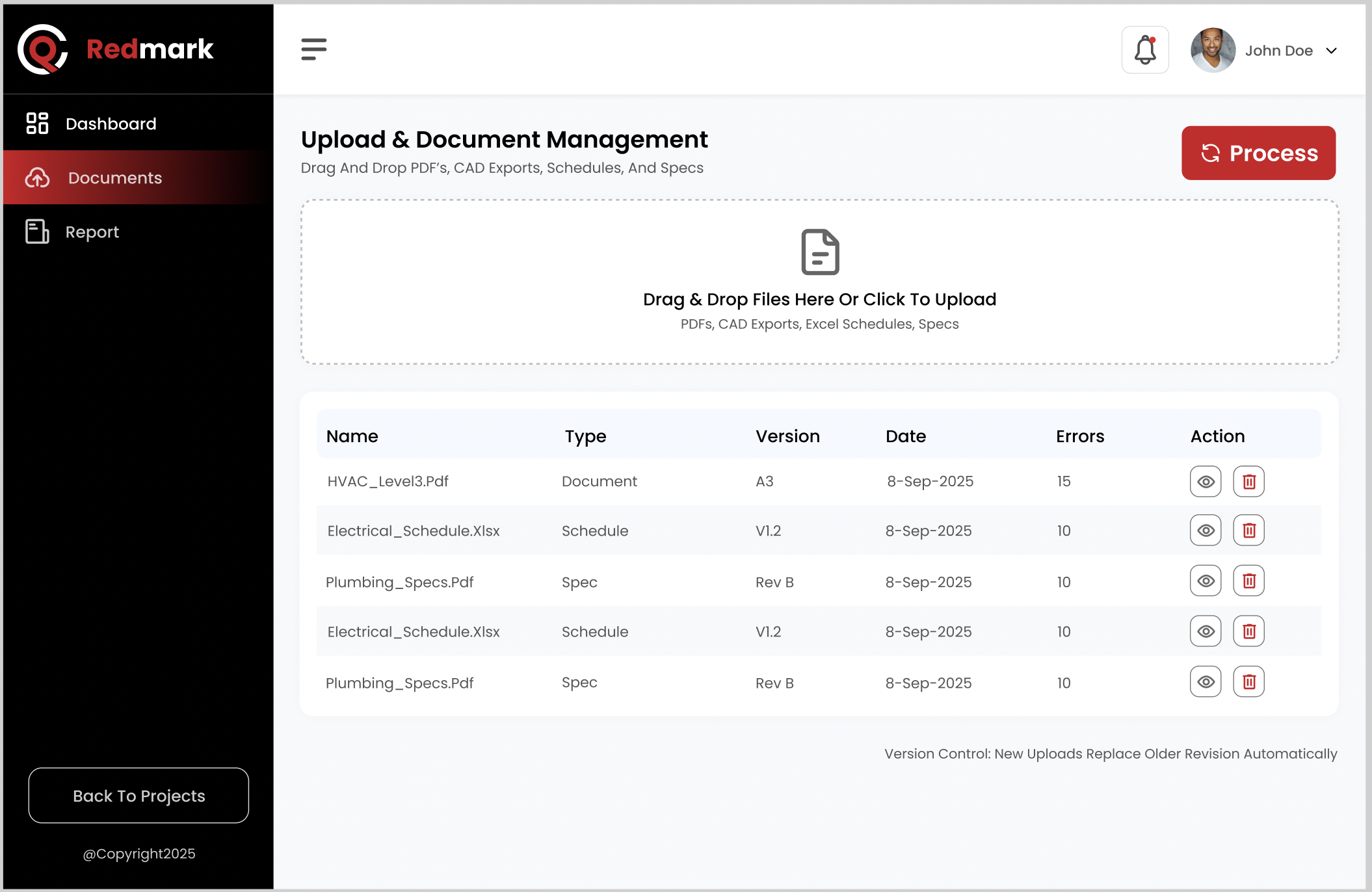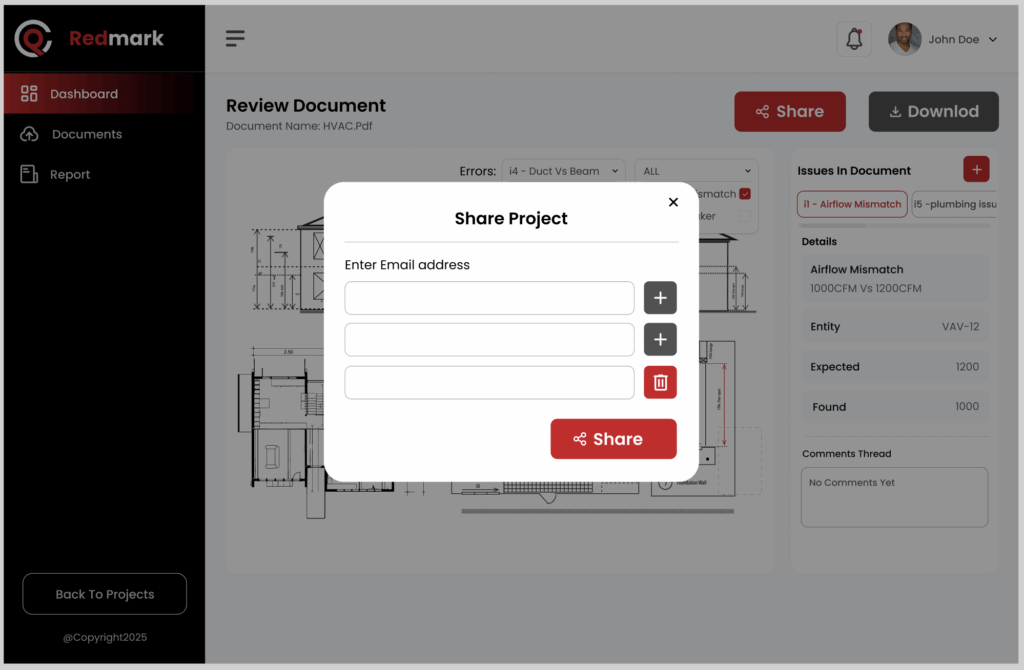
Stop spending time and money manually quality checking your drawings

Automatically check for common drawing errors so you can focus on high-value work.

Save time and minimize change orders

Construction drawing QA can be a tedious task, and often results in senior staff spending time finding basic errors, such as missing keyed notes, missing view titles, etc. Redmark.ai automates these types of checks, allowing senior staff to focus on more important and impactful engineering content.
Reduce errors and save time

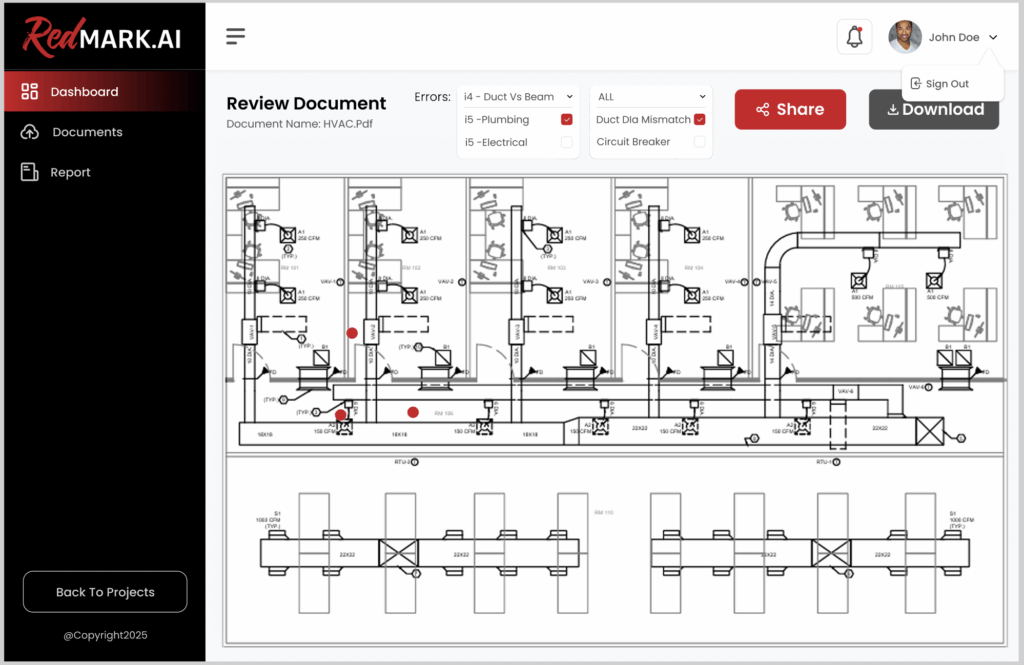
Due to the realities of project schedules and changing client requests, drawings may not go through proper QA, especially at interim deliverables. Our tool can help detect common errors with minimal time.

Developed by Industry Experts

Built from the ground up by engineers for engineers

Redmark’s integrated OCR, computer vision, and LLM reasoning software is designed to handle the complexities of mechanical and electrical construction drawings and documentation.

Some of Redmark’s QA Checks

Mechanical-Electrical Coordination
Identifies if panel schedule voltages and circuit breaker sizes do not match with the corresponding data on the mechanical equipment schedules.
Equipment Schedule Coordination
Verifies that all mechanical equipment shown on plan drawings (e.g., VAVs, RTUs, EFs, AHUs, FPBs and others) have corresponding entries in the equipment schedules.
Keyed Note Check
Identifies if any listed keyed notes are missing from drawing, and if there are any extra keyed notes on the drawing which are not present on the list.
Mechanical Equipment Power Plan Coordination
Validates that any mechanical equipment requiring power is shown on the electrical power plan.
P&ID Tag to Specification Check
Identifies if all valve and instrument tags shown on the P&ID have corresponding entries in the valve and instrument schedules, and flags any missing or extra tags.
P&ID Attribute Coordination
Validates that key attributes such as size, type, rating, and service for each valve and instrument match between the P&ID and the specification schedules.
Equipment Location Coordination
Compare equipment locations on mech plans vs. elec plans and check they are the same.
VAV Heater Size Check
Validates that VAVs equipped with heating coils (electric or hot-water reheat) have the correct heater capacity specified and that it is consistent across plans and equipment schedules.
Light Fixture Tag Check
Verifies that all light fixtures shown on plan drawings are properly tagged.
Light Fixture Tag–Schedule Cross Check
Confirms that all light fixture tags shown on plan drawings are represented in the lighting fixture schedule, ensuring full coordination between plans and schedules.
Schedule vs. Technical Submittal Check
Cross-validates equipment schedules with technical submittals/data sheets to ensure full-circle verification of specifications.
Panel Schedule Power Plan Coordination
Provides a dedicated coordination view between panel schedules and power plans.
Equipment Coordination Views
Provides automated coordination view between schedules and plans to easily find equipment in both locations (simultaneous viewing), to more easily check for errors in circuiting, inlet sizes, etc.
Keynote Coordination View
Offers an automated method to find keyed notes on plan, and easily check that the keyed note on plan matches the description of the keyed note in the list.
VAV Airflow Check
Displays scheduled VAV airflow values on HVAC plans to assist in verifying that connected airflows are within the VAV’s rated capacity.
Airflow Display
Reads mechanical equipment schedules and displays airflow next to FPB, TU, FPTU, FPIU, SFPB, and PFBP units for easier validation.
Panel Overload
Verify the panel amperage demand is below the panel rating.
GFCI Proximity Check
Ensures receptacles within 6 feet of water sources are GFCI-protected.
Panel Consistency
Each panel on the one-line diagram must have a corresponding schedule, with matching voltage, current (amps), and phase details.
Electrical Correctness
All voltage connections must be valid (e.g., no 208V panel connected to a 480V source without an appropriate transformer).
Feeder Integrity
All feeders must be properly tagged, and each tag must match the amperage rating of its corresponding circuit breaker.
Light Fixture – Model Check
Check if the manufacturer and model of the light fixture in the schedule is available.
Plumbing Fixture – Model Check
Check if the manufacturer and model of the plumbing fixture in the schedule is available.
Text on Line-work Check
Identifies instances where black text is overlaid on black linework, highlighting potential readability and documentation clarity issues.
Incomplete / Placeholder Text Check
Identifies potential placeholder or incomplete text by flagging occurrences of two or more consecutive periods (“..”).
Spell Check
Highlights spelling errors while intelligently ignoring common industry abbreviations (e.g., VAV, RTU, AHU).
North Arrow Check
Verifies if plan drawings have a north arrow.
View Title Check
Identifies if view titles are missing.
Door Hardware Coordination
Coordinate door hardware tags with specifications and flag inconsistencies.
Door Detail Coordination
Verify detail references and flag missing or unused details.
Window Coordination
Ensure window types match across plans, elevations, and schedules.
Interior Elevation Coordination
Validate tagged elements against keynotes.
Drawing List Coordination
Match drawing lists with actual sheet titles.
Keynote Extraction & Specification Support
Extract and compile keynote items for specification.

User Workflow

1. Upload Complete M&E Drawing Sets

Engineers upload entire mechanical and electrical drawing packages including:

2. AI Engine Analyzes Every Sheet

Our OCR, computer vision and reasoning models automatically:

3. Issues Redmarked Directly on the Drawings

Errors, conflicts, and omissions are:

Frequently Asked Questions

Learn about our product

Got a question? We’ve got you covered!

Do I need to be an AI expert?

No. It’s as simple as uploading a PDF and waiting for Redmark to do it’s magic!

Is it expensive to start?

No. Redmark offers a simple pricing model – $1 per page checked. Everything included. Very cheap and easy to start!

Do I need any other software?

No. Redmark is designed to be very easy to use and standalone. We don’t require any other CAD/CAM or BIM software tools.

I have an idea for a new QA check. Can Redmark consider it?

Yes! We want and need customer feedback. Redmark is adding new QA checks every day and we welcome customer feedback on what checks would be most valuable.

More questions or suggestions?

Let us know if we can answer anything else.
Redmark helps engineers and consultants automate their manual QA/QC work via our computer vision and AI technology.

© 2026 · Redmark.ai

Request More Information